Accessories
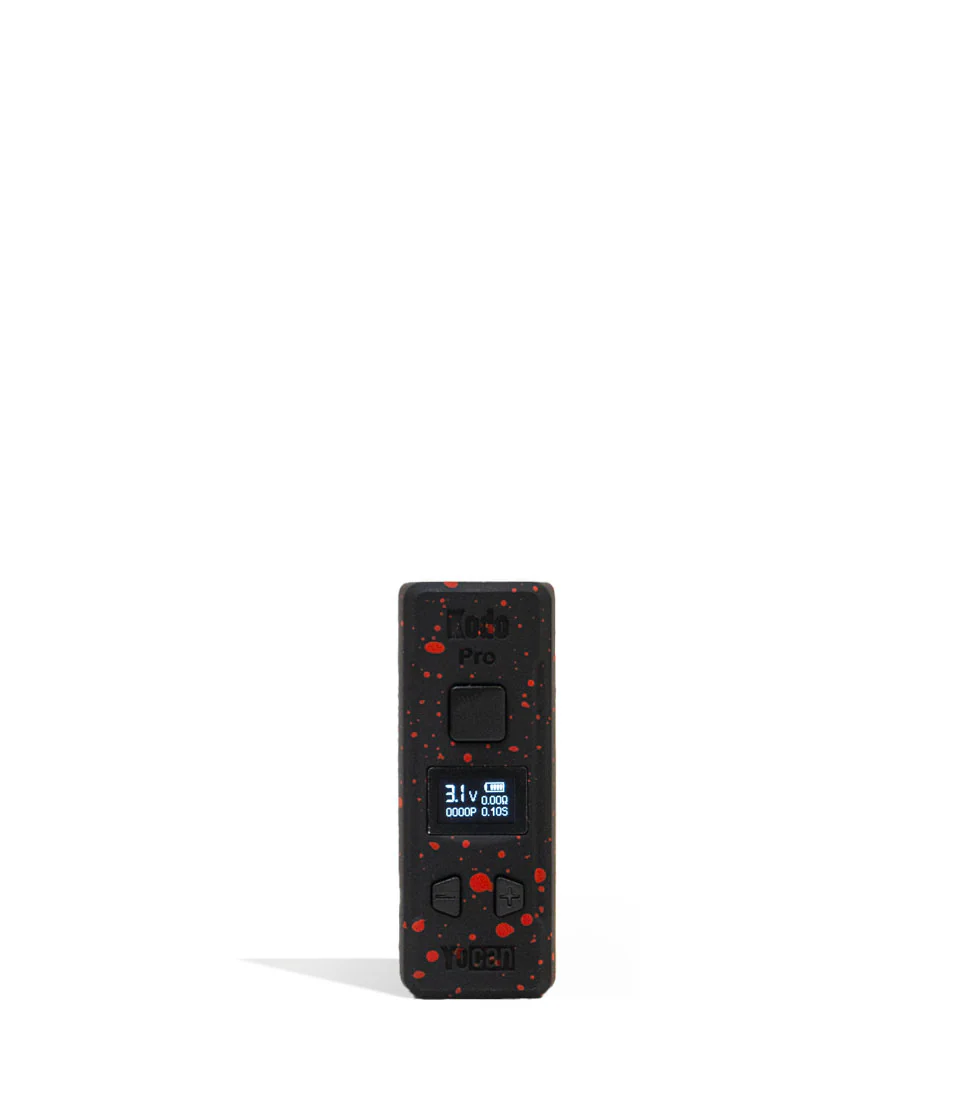
Kodo Pro Digital Portable Battery 510
$20.00$25.00
$20.00
1
Only 1 availableCash on delivery. Add items, then go to your cart to check out. Delivery 9AM – 10PM. $60+ minimum (varies by ZIP) · $0 delivery fee · Must be 21+ (ID required at delivery).
Product details
KEY FEATURES:
\nADJUSTABLE VOLTAGE CONTROL
\n15 SEC SAFETY CUT-OFF
\n400 MAH BATTERY
\n10 SEC PREHEAT
\nGED
\n510 THREADING
\nOLED DISPLAY
\n
\nREMOVE THE MOUTHPIECE
\nFROM THE CARTRIDGE. NOW LOAD THE DESIRED AMOUNT
\nOF OIL INTO THE CARTRIDGE.
\nTWIST MOUTHPIECE BACK
\nONTO THE CARTRIDGE.
\nTWIST CARTRIDGE INTO 510-THREAD
\nCONNECTION ON THE BATTERY
\n*CARTRIDGE NOT INCLUDED
\n
\n
\n
\n
\n
\nPREHEAT MODE PRESS THE POWER BUTTON 2X TO BEGIN
\nTHE 10 SEC PREHEAT CYCLE. TO STOP PREHEAT MODE PRESS THE
\nPOWER BUTTON 1X.
\n
\nFor truly pro vaping, the Kodo Pro has incrementally adjustable voltages all the way from 1.8v to 4.2v complete with dedicated + and - buttons to make changing temperatures as seamless as possible. Take a look at the 9 available color options to choose the Kodo Pro that fits your vibes and start getting more from your cartridges with every hit!
\n
\n
\n
\n
\n
\n
\n
USING YOUR KODO PRO
\nTo start off your Kodo Pro cloud blowing adventures simply press the power button 5 times in succession. This will cause your OLED screen to spring to life and your battery to power on. \n \nWhen your session is complete simply press the power button an additional 5 times in a row and your Kodo Pro will safely shut down. \nADJUSTING THE KODO PRO’S TEMPERATURE
\nTo swap between temperatures, make use of the Kodo Pros front facing + and - buttons. These allow you to adjust voltages point by point between the available options and precisely tune your sessions just how you like them. \nPRE-HEATING YOUR KODO PRO
\nBlast off with a super charged cloud by tapping the power button 2 times in a row. This will begin the 10s preheat countdown wherein your cartridge will be slowly warmed over the 10s to prepare you a hit with increased potency and cloud volume. \n \n \nHOW TO CHARGE THE KODO PRO
\nKeep your Kodo Pro in the running by making use of the USB-C port located on the bottom of the device. The first time you charge your Kodo Pro, leave it plugged in for a full 2 hours. Every other time after this never charge the device longer than 1 hour at a time. This will ensure safe charging and improve the Kodo Pro’s battery lifespan. \n \nTROUBLESHOOTING \n \n15SEC \n \n• AUTO SHUTOFF WARNING: 3 LIGHTS WILL FLASH 8X BEFORE POWERING OFF IF BUTTON IS PRESSED FOR MORE THAN 15 SEC. \n \n5X \n \n• NO CART WARNING: 3 LIGHTS WILL FLASH 5X WHEN CARTRIDGE IS NOT DETECTED. \n \n3X \n-
\n
- SHORT CIRCUIT WARNING: 3 LIGHTS WILL FLASH 3X AND THE UNIT WILL STOP WORKING. \n
- LOW BATTERY WARNING: WHEN BATTERY IS LOW, 10X \n